- Get Started
- Video Tutorials
- Knowledge Base
- FAQs & Troubleshooting
Dangerous Goods How to Fulfill via USPS within 4Seller?
Updated on 03 Sep,2026Copy Link
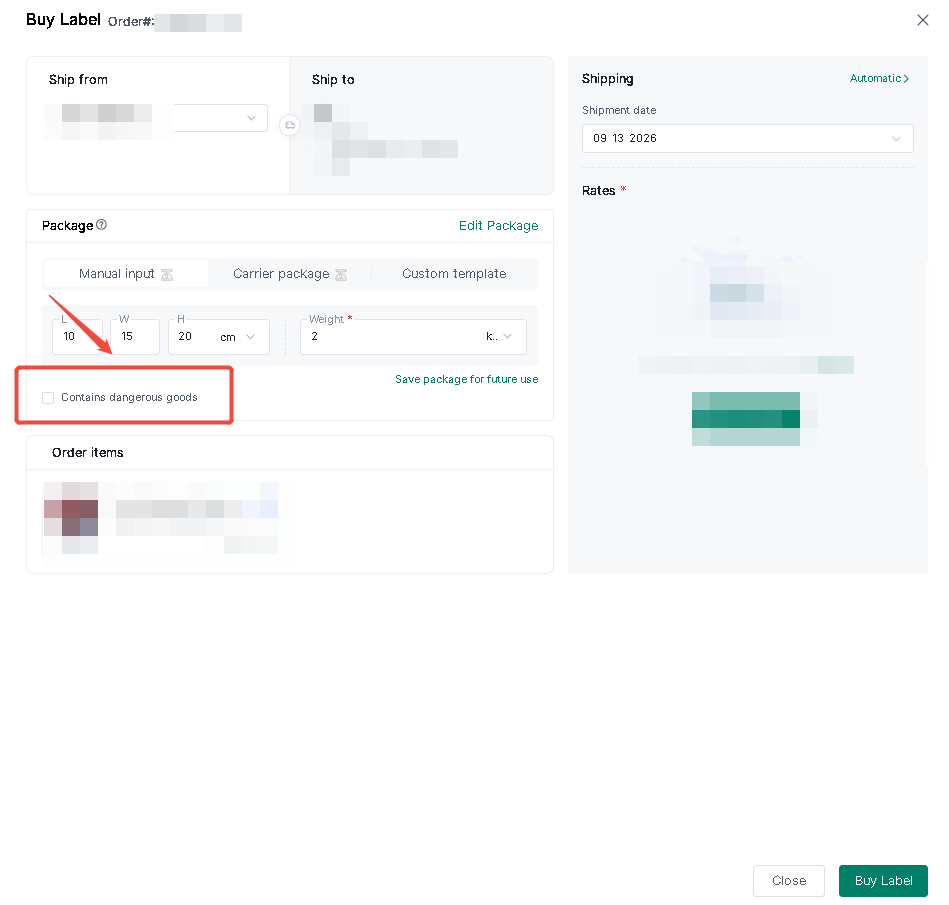
If the item is classified as dangerous goods, you must select the "dangerous goods" option when purchasing the shipping label; once selected, the system will automatically display logistics channels that support the transport of dangerous goods.Single Operation:
Bulk Operation
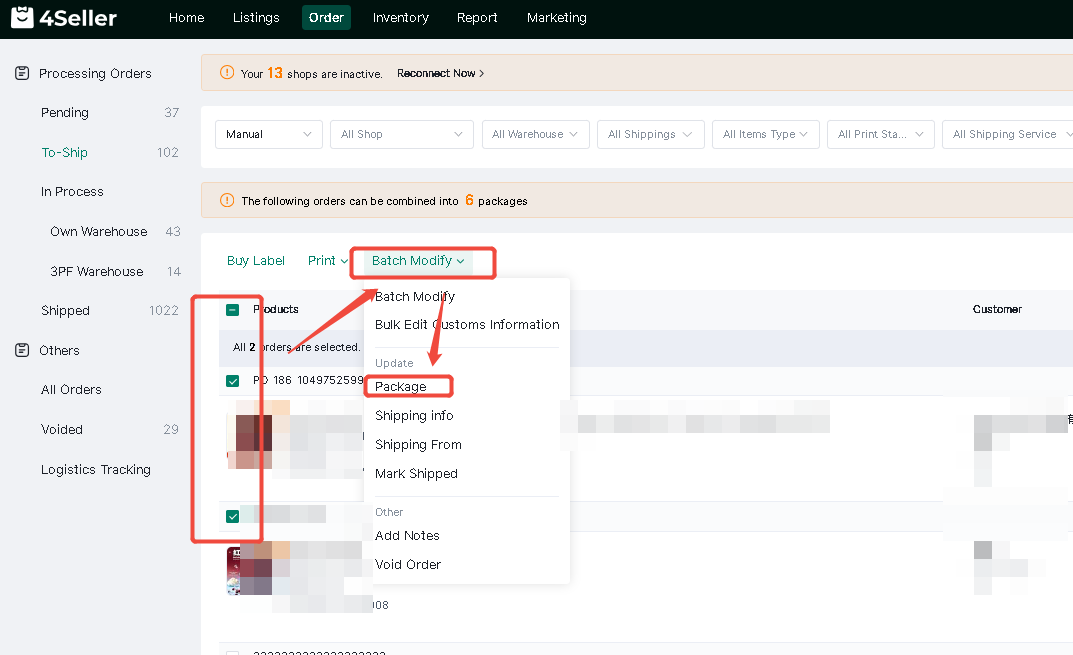
After selecting multiple orders—click Bulk Modifu—Package.
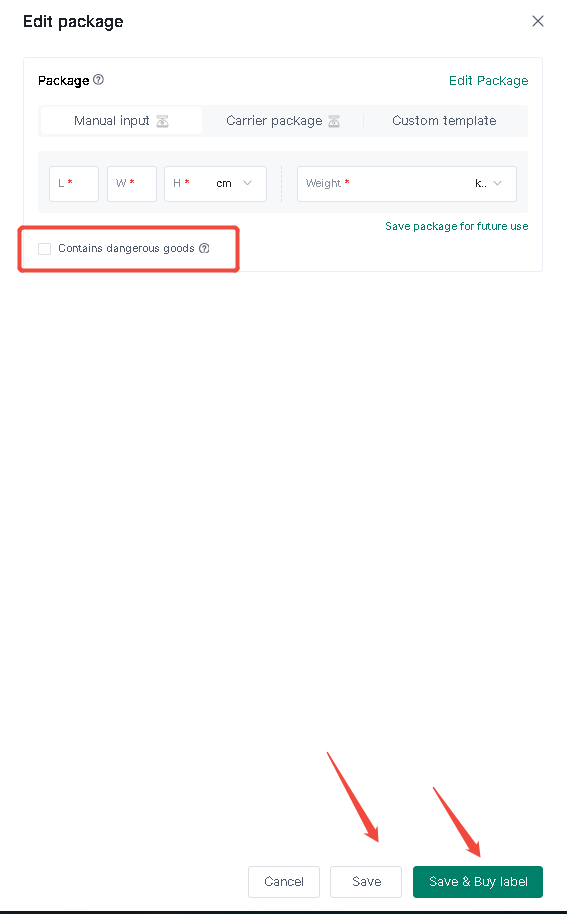
Click"Contain Dangerous Goods" – Save / Save and Purchase Shipping Label
Note: Platforms such as SHEIN, TikTok, eBay, and Walmart determine whether an item contains hazardous materials based on the SKU. Therefore, whether or not you mark an item as hazardous in 4Seller does not affect the display of available logistics channels.
Any problem just feel free to contact 4Seller support team: support@4seller.com


Back to top